
Boot
BIOS vs UEFI
BIOS
Legacy boot mode: Checks the MBR of all connected devices. If the bootloader is not found, Legacy switches to the next device in the list and repeats this process until a bootloader is found, otherwise it returns an error.
Basic Input/Output System
- Power-on hardware self-test, POST (Power-On Self-Test) This process mainly tests various hardware devices such as CPU, memory, motherboard, hard disk, CMOS chip, etc. If a fatal error occurs, the system halts, and since the initialization process is not yet complete, no prompt signal will be displayed; if a minor fault occurs, a beep will sound; if no fault occurs, the power-on self-test is complete (enumerating and initializing local hardware devices).
- Search for available storage devices according to the Boot Sequence. Once found, read the MBR or GPT (Linux systems) from the first sector of the device to boot the operating system.
UEFI
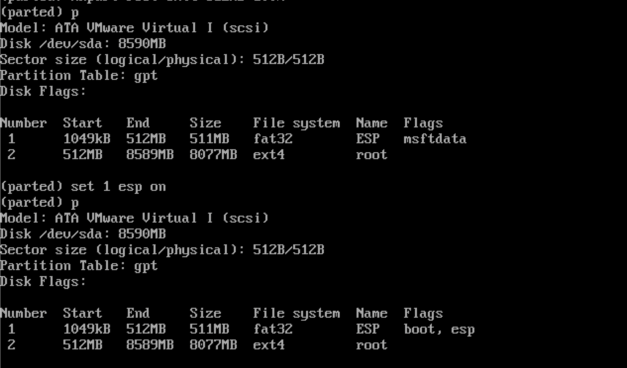
UEFI boot mode: Boot data is stored in .efi files. UEFI boot mode includes a special EFI partition used to store .efi files for the boot process and bootloader.
Unified Extensible Firmware Interface
- Power-on hardware self-test, POST (Power-On Self-Test)
- Read the first sector of the device and boot the operating system using GPT.
MBR vs GPT
- LBA (Logical Block Address): Planned in 512B blocks by default, LBA starts from 0.
- Sector (disk sector): Currently 512B each (some newer disks use 4096B).
MBR
Master Boot Record
- LBA0: Stores MBR information.
| Start Byte | Byte Length | Description |
|---|---|---|
| 1 | 446B | Boot loader: Primary bootloader, loads the kernel into memory for execution. |
| 447 | 64B | Disk Partition Table: Records partition information (size, starting sector, etc). 16B per partition, max 4 primary partitions. |
| 511 | 2B | Boot Flag: Partition table marker, indicates whether the device is bootable. |
- Partition table: Up to 4 primary partitions. Or 3 primary partitions + 1 extended partition + multiple logical partitions. The extended partition can be divided into two logical partitions, and the second logical partition can continue to be divided into logical partitions, until the partition table itself is reached (containing only one partition entry).
- Boot loader: In Linux, this is grub or grub2
GPT
GUID Partition Table
- LBA0: The first 446B are reserved for MBR Boot loader, the second part stores the GPT disk partition format identifier.
- LBA1: GPT HDR partition table header record. Records the position and size of the partition table itself, and also records the backup GPT partition location (the last 34 LBAs of the disk). When the partition table checksum (CRC32) indicates an error, the system can recover from the backup GPT.
| Start Byte | Byte Length | Description |
|---|---|---|
| 0 | 8B | Partition table header signature |
| 8 | 4B | Version number |
| 12 | 4B | Partition table header size |
| 16 | 4B | GPT header CRC checksum |
| 20 | 4B | Reserved, must be 0 |
| 24 | 8B | Current LBA (position of this header) |
| 32 | 8B | |
| ... | ... | ... |
- LBA2~LBA33: GPT partition table information. Each LBA provides 4 partition records, resulting in 4x32=128 partitions by default.
| Start Byte | Byte Length | Description |
|---|---|---|
| 0 | 16B | Partition type, e.g. {C12A7328-F81F-11D2-BA4B-00A0C93EC93B} represents EFI system partition |
| 16 | 16B | Partition GUID |
| 32 | 8B | Partition starting LBA (little-endian) |
| 40 | 8B | Partition ending LBA |
| 48 | 8B | Partition attribute flags (0: system partition, 1: EFI hidden partition, 2: legacy BIOS bootable partition, 60: read-only, ...) |
| 56 | 72B | Partition name (can contain up to 36 UTF-16 (little-endian) characters) |
- LBA34~LBA-34: Actual GPT partition content
- LBA-33~LBA-2: Backup of the GPT partition table, backup of LBA2~LBA33
- LBA-1: Backup of the GPT table header record, backup of LBA1
Kernel
- Kernel initializes hardware
- Load drivers
- Initialize memory management and process management
- Mount root filesystem
- Switch rootfs
- Run init program (systemd)
- systemd: System initialization and service startup
Systemd
/etc/rcX.d/ /etc/init.d/
Reference: